



xTool M2 20W Color Print and Cut Bundle
Selling fast! 3 people have this in their carts.
Delivery in the UAE
Same-day delivery (Dubai only): order before 12:00 PM. Standard delivery cutoff 4:00 PM (UAE time).
- Same-day delivery: order before 12:00 PM. Currently available in Dubai only.
- Standard delivery: 1–2 business days. Order before 4:00 PM.
- Remote areas: 2–3 business days. No same-day delivery.
Orders placed after the cutoff, on Sundays or on public holidays are processed the next business day. No Sunday deliveries. Delivery times are estimates.
Check your delivery area
Return within 2 days of purchase (Original unopened package).
5% VAT included.
Guaranteed Safe Checkout

xTool M2 20W Color Print and Cut Bundle
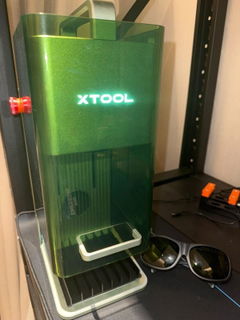
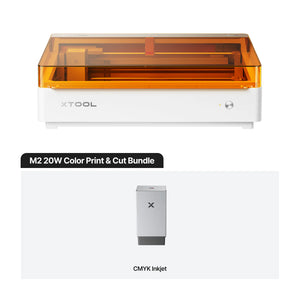
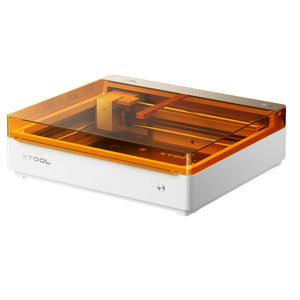
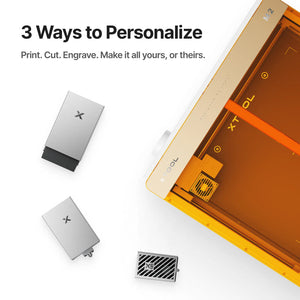
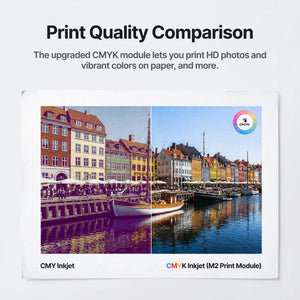
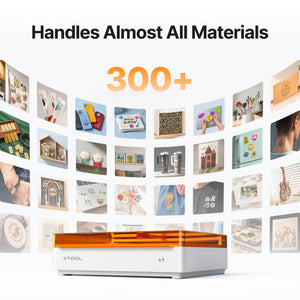
An enclosed desktop laser that also prints in full colour. The M2 pairs a 20W blue diode laser with xTool's CMYK inkjet module, so a design can be printed in colour and then cut or engraved on the same machine without moving the material or realigning anything. This is the Color Print and Cut bundle: the 20W machine plus the inkjet module and its setup parts.
Key Features
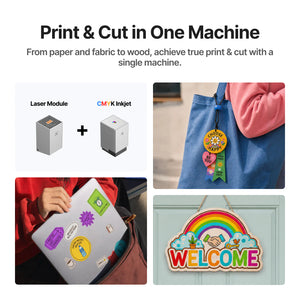
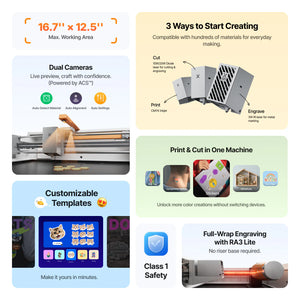
- Print, then cut, in one pass — print a full-colour CMYK design and let the machine cut it out on the same bed, registered to what it printed.
- 20W blue diode laser across a 426 × 320 mm working area, at up to 600 mm/s.
- Cuts to real depth — xTool specifies up to 10 mm basswood and up to 8 mm black acrylic in a single pass with the 20W module.
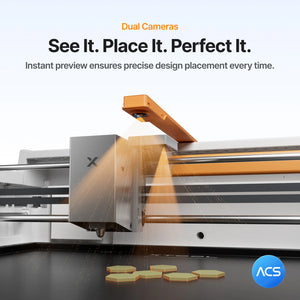
- Two cameras — a 5MP panoramic camera for placing designs on the material and a 2MP close-range camera, with autofocus.
- Built-in air assist — an adjustable pump is inside the machine, so there is no compressor to buy or plumb in.
- Enclosed and pre-assembled — xTool lists Class 1 laser safety, certified by TÜV SÜD. No build required out of the box.
What Print-Then-Cut Actually Solves
Printing a colour design and cutting it out are normally two machines and a registration problem. You print on one device, carry the sheet to a cutter, and then spend time aligning the cut path to artwork that has shifted by a millimetre or two. On small runs of stickers, labels, cards, badges or decorated keepsakes, that alignment step is most of the work and most of the waste.
The M2 prints and cuts on the same bed, so the cut path and the printed artwork share one coordinate system. For anyone selling personalised goods in small batches, that is the difference between a viable product and a fiddly one.
The 20W module is the reason to take this over the 10W: it roughly doubles what you can cut in a single pass on acrylic, which is where the 10W runs out of headroom.
Technical Specifications
| Laser module | 20W blue diode |
|---|---|
| Processing modes | Laser cutting · laser engraving · CMYK inkjet printing |
| Laser working area | 426 × 320 mm |
| Inkjet working area | 300 × 294 mm |
| Maximum speed | 600 mm/s |
| One-pass cut, basswood | Up to 10 mm |
| One-pass cut, black acrylic | Up to 8 mm |
| Laser spot size | 0.06 × 0.08 mm |
| Positioning precision | Up to 0.2 mm · wide-angle positioning under 1.5 mm |
| Ranging precision | 0.1 mm, probe |
| Motion accuracy | 0.01 mm |
| Cameras | 5MP panoramic + 2MP close-range, camera positioning and autofocus |
| Machine dimensions | 610 × 569 × 180 mm |
| Machine weight | 12.3 kg |
| Maximum input power | 200 W |
| Power adapter input | 100–240 V AC, 50/60 Hz |
| Software | xTool Studio, Windows and macOS |
| Connection | USB or Wi-Fi |
| File formats | SVG · DXF · JPG · JPEG · PNG · BMP |
| Safety certification | Class 1 laser safety, TÜV SÜD certified (as listed by xTool) |
| Assembly | Pre-assembled |
Cutting depths, speed and precision are xTool's specifications rather than guaranteed results. What you get depends on the material, your settings and the module fitted.
What's in the Box
This bundle contains the standalone machine contents plus the inkjet module set.
- xTool M2 machine with the 20W diode laser module
- M2 CMYK inkjet module, ink cartridge, bottom cap, bottom cap retainer plate, screw, moisturizing liquid, A5 calibration card, ferrite core
- Module connection cable, power adapter and cable, USB cable and adapter
- Smoke exhaust pipe, clamp, grease, magnetic fixtures, hex screwdriver, masking tape, M3 × 6 screws
- Material pack, safety instructions, instruction card, user manual
Not included: the 3W infrared module, rotary accessories, CleanCut panel, WonderPress, screen printer and air purification — all of those are separate products. Projects and props shown in xTool's photography are illustrative.
Materials
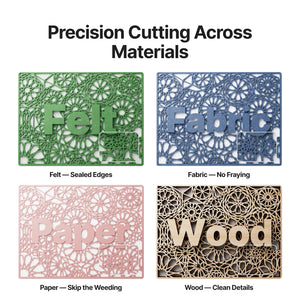
Cutting: wood, opaque acrylic, paper, cardstock, cardboard, MDF, felt, and laser-compatible foam or leather.
Engraving: wood, opaque acrylic, leather, stainless steel, aluminium, plated metal, paper, MDF, cardboard, felt, rubber, glass, plastic, cork and ceramic. Being on this list does not mean a material can also be cut with the diode laser — engraving and cutting are different jobs.
Printing: paper, cardstock, sticker paper, wood, canvas, fabric, felt and leather. Smooth or dense surfaces such as metal, glass and ceramic need an ink-receptive coating first.
Never laser PVC, polycarbonate, or leather and foam of unknown composition. PVC releases chlorine gas that harms you and corrodes the machine. When in doubt, check xTool's material guide rather than experimenting.
Working with the Ink
The ink is water-based, so finished printed pieces should be kept away from water unless you seal them. The cartridge cannot be refilled — secure the ink cap after use and replace cartridges per the manual. xTool's published page figures for ink yield are inconsistent, so we are not quoting a number; ask us if yield matters to your costing.
Extraction and Ventilation
The M2 has a built-in adjustable air assist pump, and a smoke exhaust pipe is in the box. There is no external air port, and xTool's FAQ states third-party air pumps cannot be connected.
For smoke and odour, the xTool Desktop Air Purifier is the matching extractor — and on the M2 it needs the separate M2 exhaust duct adapter to connect. Both are stocked here. Whatever you use, follow the machine's ventilation instructions.
Accessories and Expansion
xTool promotes the RA3 Lite rotary for the M2, and their FAQ notes that RA3 use requires an M2 Adapter Kit. Rotary engraving covers 0–100 mm diameters with a compatible setup. Confirm exactly which rotary and adapter you need before ordering, because the naming across xTool's range is easy to get wrong.
A 3W infrared module and a 20W diode module are also sold separately for the M2.
Why Buy from Omnimakers
- Held in the UAE. A 12 kg enclosed machine is expensive and slow to import yourself, and returns on one are worse. Local stock means days, not weeks.
- Priced in AED, all in. No customs surprises at the door, no card conversion fee.
- The whole M2 ecosystem in one place. Air purifier, M2 duct adapter, rotary and materials — so your setup is complete on day one rather than after three separate orders.
- Support in your timezone from people who run these machines, for settings and material questions rather than just order status.
Frequently Asked Questions
What is the difference between this bundle and the standalone M2?
The standalone is the machine and the 20W laser. This Color Print and Cut bundle adds the CMYK inkjet module, ink cartridge and the inkjet setup parts — which is what makes print-then-cut possible. Without the module the M2 is a laser only.
Should I get the 10W or the 20W?
The 20W cuts roughly twice as deep in a single pass on acrylic — xTool specifies up to 8 mm versus 3 mm — and up to 10 mm versus 8 mm in basswood. Both share the same 426 × 320 mm working area. If you cut acrylic, take the 20W.
Do I need laser safety glasses?
xTool lists the M2 as Class 1 laser safety with TÜV SÜD certification, which is the classification for an enclosed machine used as intended with its lid closed. Follow xTool's own safety instructions, and never defeat the enclosure interlocks or run it open.
Is a rotary attachment included?
No. Rotary components come with the Deluxe bundle, not this one. xTool promotes the RA3 Lite for the M2 and notes that RA3 use needs an M2 Adapter Kit — check the exact combination before you order.
Can I cut metal with it?
No. A 20W diode laser engraves metal, including stainless steel, aluminium and plated metal, but it does not cut it. Cutting is for wood, acrylic, paper, card, MDF, felt and suitable foam or leather.
Can it print on metal, glass or ceramic?
Only with an ink-receptive coating applied first. The inkjet module prints directly onto paper, cardstock, sticker paper, wood, canvas, fabric, felt and leather.
Is the printed colour waterproof?
No. The ink is water-based. Keep finished pieces away from water, or seal them if the item will be handled or used outdoors.
Can I refill the ink cartridge?
No, xTool states the ink cannot be refilled. Replace the cartridge per the user manual and keep the ink cap secured between sessions.
Do I need a separate air compressor?
No. The air assist pump is built in and adjustable. There is no external air port, and xTool's FAQ says third-party pumps cannot be connected.
Do I need a fume extractor?
A smoke exhaust pipe is included, and you should follow the machine's ventilation guidance. If you cannot vent to a window, the xTool Desktop Air Purifier is the matching unit — on an M2 it also needs the separate M2 exhaust duct adapter, which we stock.
What software does it use, and will it run on my computer?
xTool Studio, on Windows or macOS, connecting over USB or Wi-Fi. It opens SVG, DXF, JPG, JPEG, PNG and BMP.
How much assembly is involved?
None. The machine ships pre-assembled; you fit the laser module and the inkjet module and run the calibration card.
How much desk space do I need?
The machine is 610 × 569 × 180 mm and weighs 12.3 kg. Allow clearance to open the lid and to route the exhaust pipe without a sharp bend.
What plug does it ship with?
This listing is the UK-plug version. The power adapter accepts 100–240 V at 50/60 Hz, which covers UAE mains.
Can I use it for a small business?
That is what print-then-cut is for — short runs of stickers, labels, badges, cards and personalised gifts where registration between print and cut would otherwise eat your margin. Cutting depths and speeds are xTool's specifications, so test your own materials before quoting volume work.
| Model |
M2 |
|---|---|
| Package |
20 Watt Color Print and Cut Bundle |
| Plug |
UK |